Hi everyone,
We’re excited to share Octez Manager, a new experimental terminal-based tool for deploying and managing Tezos infrastructure — nodes, bakers, accusers, and DAL nodes.
What is it?
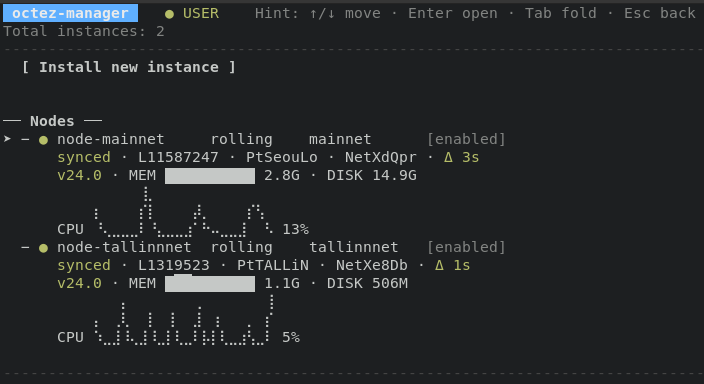
Octez Manager provides an interactive TUI (Terminal User Interface) that handles all the complexity of setting up Tezos services: systemd unit files, environment configurations, snapshot downloads, user permissions, and more.
Key Features
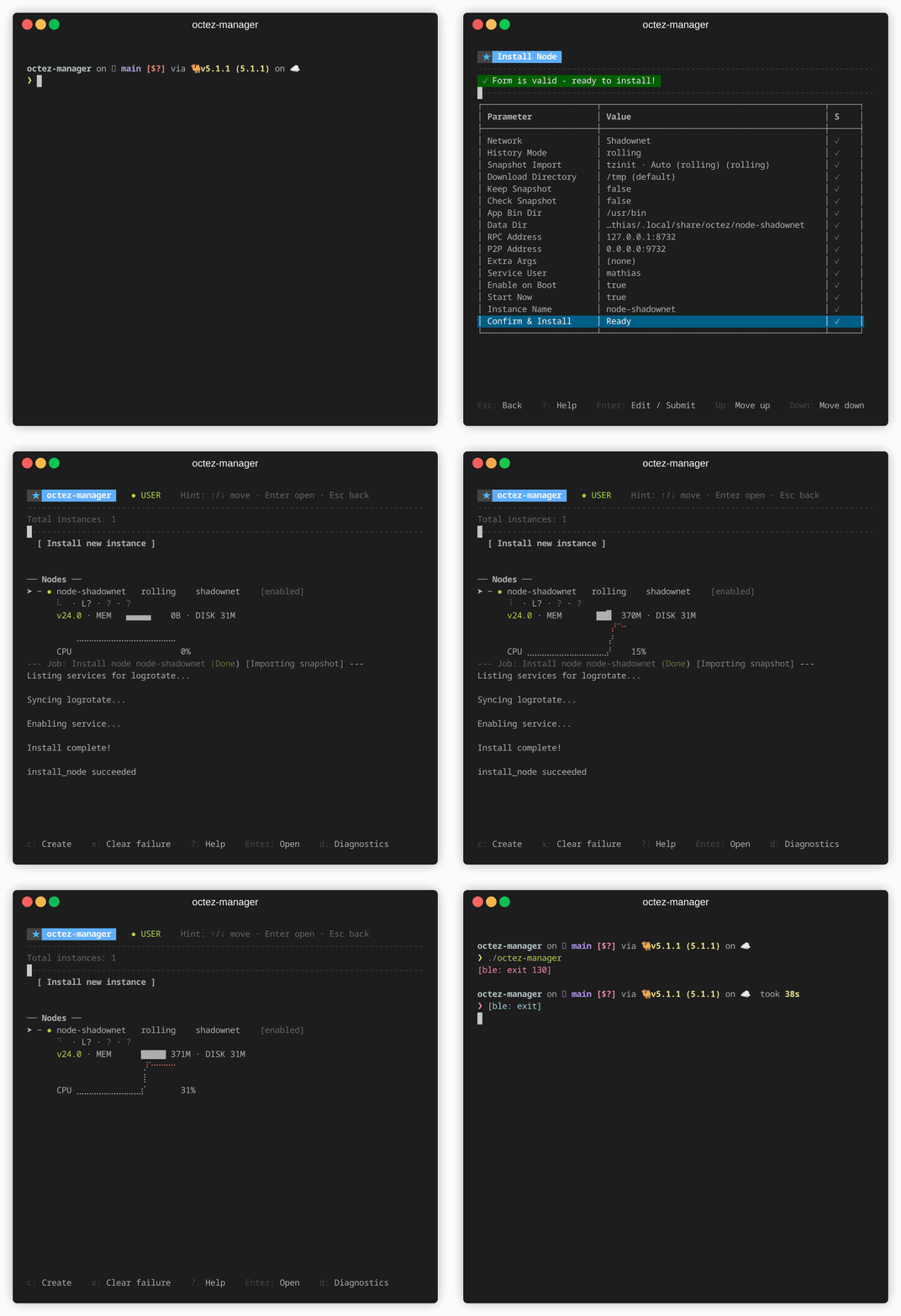
- One-command deployment: Install a node with snapshot bootstrap in a single command
- Interactive TUI: No need to remember commands; the interface guides you through installation and configuration
- Real-time monitoring: View sync status, signing activity, missed slots, and DAL participation
- Service management: Start, stop, restart, edit, and remove instances
- Dependency tracking: Automatically handles relationships between nodes, bakers, and DAL nodes
Quick Start
Install in seconds
curl -fsSL https://raw.githubusercontent.com/trilitech/octez-manager/main/install.sh | sh
Launch the TUI
octez-manager
Important: Experimental Software
Octez Manager is in early development (v0.1..1). We recommend using it on testnets only (Shadownet, Ghostnet) for now. We do not guarantee backward compatibility with future versions.
We Need Your Feedback!
We’d love to hear from the community:
- What features would make this tool more useful for you?
- What’s missing for your workflow?
- Any bugs or issues you encounter?
Share your feedback in the comment section!
Links
11 Likes
I’ve been running an Octez baker for a long time and just installed Octez Manager.
-
Running octez-manager list does not detect the existing Octez instance. Could you advise how to register or import an existing installation without reinstalling through octez-manager install-xxx?
-
Also, the curl | sh installation did not prompt for an installation path. The selected one was fine, but how is the installation directory determined?
1 Like
First, thanks for the feedback 
Currently (v0.1.1), octez-manager list only shows services installed through octez-manager itself.
We’re actively developing external service detection (on the feat/external-services branch) that will:
- Automatically discover existing Octez services via systemd
- Show them with
octez-manager list --external or --all
- Display role, network, status, dependencies, and configuration
We will try to show as much as possible and give you as much control as possible but it will inevitably need importing to fully benefit from octez-manager. Import functionality (to bring them under octez-manager management) will come in a follow-up release.
Regarding the installer, the install path is determined automatically:
- Root user:
/opt/octez
- Regular user:
~/.local/share/octez
This follows XDG conventions and isn’t currently configurable. We’ll add –prefix to select installation directory in a future version. Would that be enough?
Also, don’t hesitate to open a feature request directly on GitHub
2 Likes
Hello Mathias,. congrats on this very welcome app! Very nice Project! I hope it is here to stay and reach its full potential.
Im already using it and trying everything.
I guess here you mean instances installed with the OM, otherwise it is only to manage and deploy instances of Octez already manually ‘installed’.
1 Like
Thanks a lot, Mathias! Super clear.
My installation won’t be detected before import is available, as I’m not using systemd. However, I could consider switching to it before a manual import (e.g. via a config file specifying the deployment path) or analysing the paths associated with PIDs becomes an option.
Thanks as well for the path details. The one used in my case is, oddly, not among those, but it does match what I would have chosen for this test (/usr/local/bin, as defaulted in the repo). That’s what surprised me, hence my question.
You are actually right, I confused with an upcoming change. We are currently only installing in /usr/local/bin which is hardcoded in the script. We’ll still introduce the –prefix option in the future.
1 Like
Octez Manager v0.2.0
We’ve published v0.2.0 of https://octez-manager.tezos.com, bringing several new features:
Binary Management
- Download and manage official Octez releases directly from the TUI (press ‘b’)
- Switch service versions with cascade updates to dependents
- Automatic rollback if services fail to start after update
Self-Update
- octez-manager self-update to upgrade the tool itself
- Background notifications when new versions are available
Import External Services
- Automatically detects Octez services not installed by octez-manager (systemd, Docker, tmux)
- Import them as managed instances while preserving data directories (no re-sync)
- Supports takeover or clone strategies
Other improvements
- Default network changed to shadownet
- Various bug fixes for import wizard, keyboard shortcuts, and clean exit
Install or upgrade:
curl -fsSL https://raw.githubusercontent.com/trilitech/octez-manager/main/install.sh | sh
Full changelog: Release v0.2.0 · trilitech/octez-manager · GitHub
Feedback welcome on GitHub · Where software is built.
2 Likes
Interesting, it’s quite similar to what I started a couple years ago. GitHub - RichAyotte/tezonator . It’s nice to see a tool like this.
4 Likes
Octez Manager v0.3.0
We’ve published v0.3.0 of https://octez-manager.tezos.com, bringing major new features for RPC interaction and web-based access:
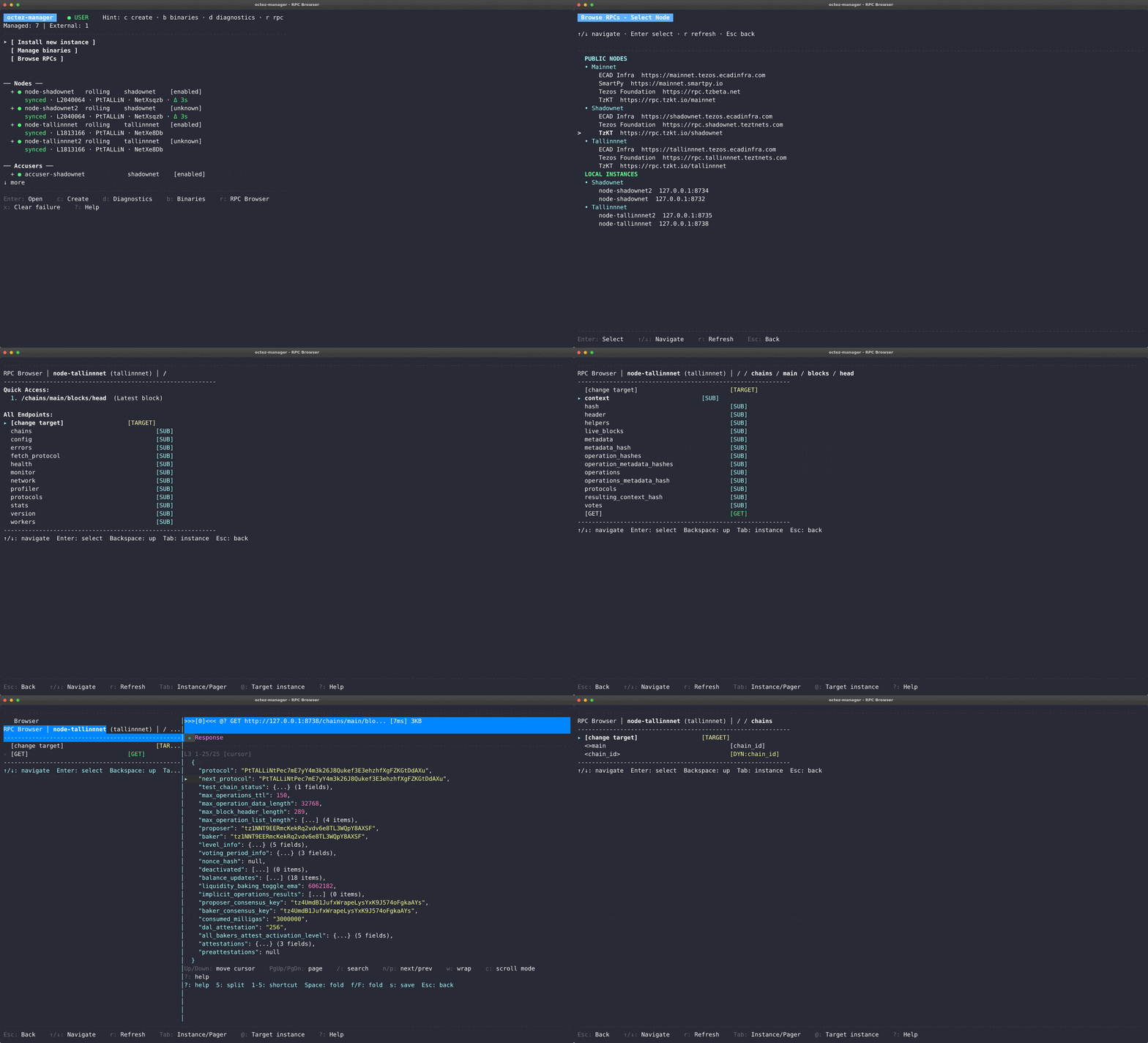
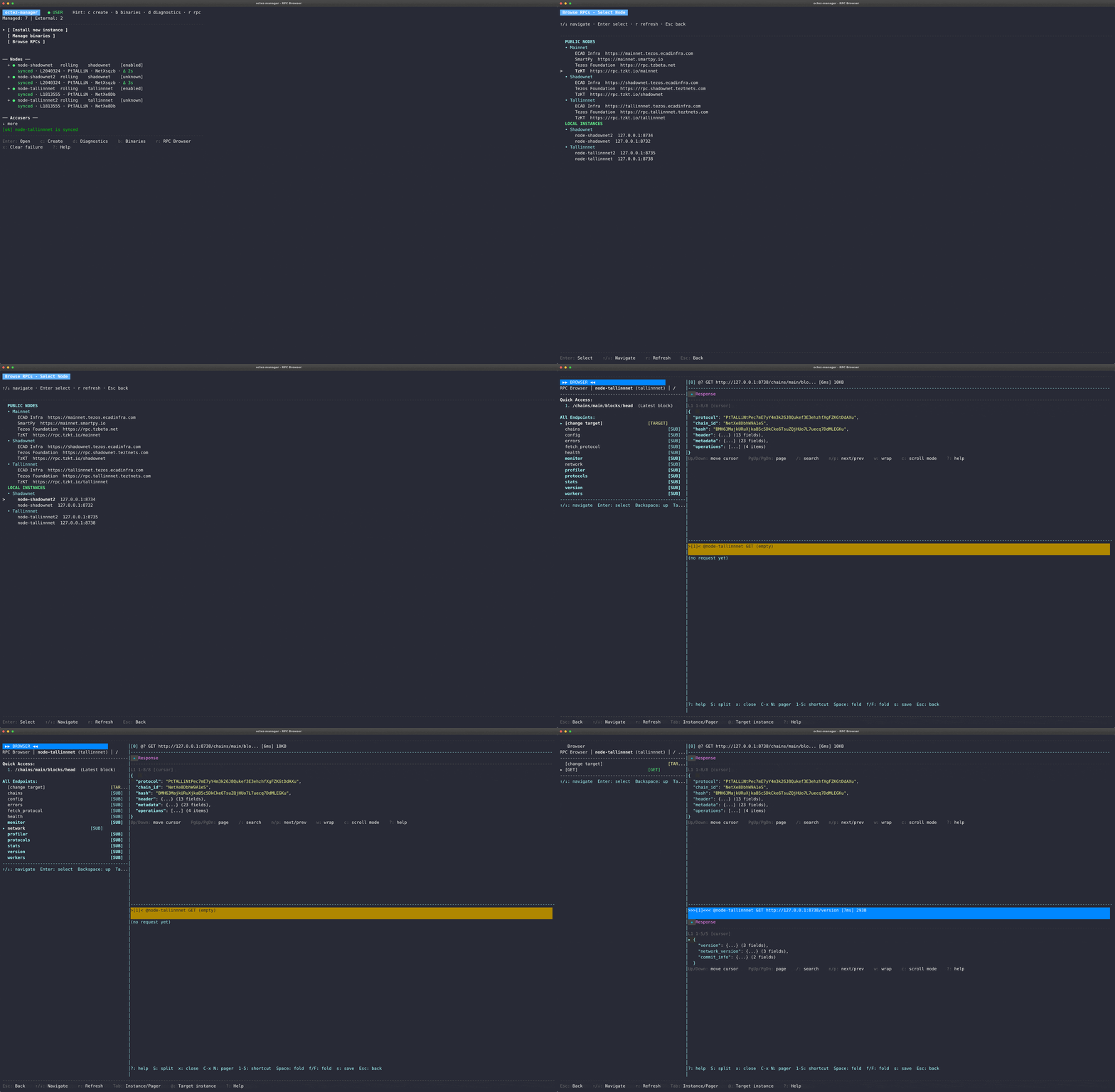
Interactive RPC Browser
- Explore your node’s RPC endpoints directly from the TUI (press ‘r’)
- Real-time streaming for monitor endpoints like
/monitor/heads/main
- JSON syntax highlighting and quick shortcuts for common endpoints
- Query any managed node via Tab key
Web Interface
- Access octez-manager from your browser with
octez-manager web
- Full terminal interface via xterm.js over WebSocket
- Controller and viewer roles with optional password authentication
- Perfect for remote server management
RPC CLI Tools
- New
octez-manager rpc commands for scripting and automation
rpc get, rpc list, and rpc interactive with tab completion- Integrate Octez RPC calls into your workflows
Other improvements
- Update notifications when new octez-manager versions are available
- Fixed weeklynet installation issues (name truncation and snapshot URLs)
- Removed deprecated Ghostnet network
- Instant shutdown (was up to 10 minutes in some cases)
- Long-running installs no longer timeout
- Massive CI speedup (45 min → 10-12 min)
Install or upgrade:
curl -fsSL https://raw.githubusercontent.com/trilitech/octez-manager/main/scripts/install.sh | sh
Full changelog: Release v0.3.0 · trilitech/octez-manager · GitHub
Feedback welcome on GitHub · Where software is built.
1 Like
It’s been two months since the last release. Is there a new release imminent and how confident are you on its stability? In other words, would you run this on your production baker yet?